
AnalogueStick Drift Repair Service
Most of our stick drift repairs are done live on TikTok.
Check here if we’re live
Choose Your Service
TMR analogues will outlast buying a new controller! (see below)
Send Us Your Controller
Address will be sent to your after checkout
We will do the rest
We will fix and return the controller to you. 2 days ETA
PickYour Controller
Analogue TypesWe Can use
Standard Analogues
-
Great Quality
-
Familiar Feeling
-
Low Power Consumption
-
Drift Resistant
-
New Technology
-
Increased Precision
-
Increased Consistancy
-
1 Years Warranty
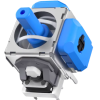
TMR Analogues
-
Great Quality
-
Familiar Feeling
-
Low Power Consumption
-
Drift Resistant
-
New Technology
-
Increased Precision
-
Increased Consistancy
-
1 Years Warranty
@thecontrollerpeople TMR installation on ps5 controller. Send in service #ps5 #customps5controller #tmr
♬ original sound - The Controller People
Standard vs Hall Effect vs TMR Joysticks
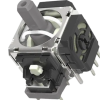
Here is where things get interesting. With our stick drift repair services, you are not limited to the same type of stick that came with the controller. There are three options, and the differences between them are significant.
Comparison | Standard Analogues | Hall Effect Analogues | TMR Analogues |
|---|---|---|---|
How it works | Conductive wiper on resistive track (physical contact) | Magnetic Sensor | Tunnel magnetoresistance sensor reads magnetic field changes (no physical contact) |
Drift resistance | Low. Will develop drift over time. | High. No friction means no wear. | Very high. Same contactless principle with improved sensitivity. |
Feel | Familiar DualSense feel. No adjustment needed. | Slightly different. Minor adjustment period. | Very similar to standard. Most players notice little difference. |
Power consumption | Low. | Slightly higher due to continuous magnetic sensing. | Lowest of the three drift-resistant options. |
Warranty (TCP) | 3 months | 12 months | 12 months |
Best for | Casual gamers. Budget-friendly. | Competitive gamers wanting long-term reliability. | Serious gamers wanting cutting-edge performance with familiar feel. |
Standard analogue replacements are the most affordable option, and they work fine for most players. The stick will feel exactly like the original DualSense, with no learning curve at all.
For more information, check out our comparison between standard, Hall Effect, and TMR analogue sticks.
Thank You For The Reviews
Reviews really do help so if you could leave one after purchase, we would greatly appreciate it!


Decided to finally send off 1 PS5 Controller that had bad left stick drift that despite all I tried, couldn't fix.
Not only to fix, but to move and change to TMR Sticks which are essentially stick drift free for life!
Sent off, brilliant communication in meantime and very speedy repair and return (within a week at max)
Tested and can't complain! Even feels better in certain games.
Will be using these guys again in the future to repair my other controller with the same issue 🙂 for the price, it's worth it! X10!
Thank you! Keep up the excellent work!


Customer support has always been great, helped me out with remapping and other bits.
Summary: Quick Fixes vs Long-Term Solutions
What is PS5 Controller Stick Drift?
Stick drift is when the analogue stick on your DualSense controller detects movement even when it is sitting at rest. The technical explanation is that the joystick’s internal sensor is reporting a position that does not match where the stick actually is. The practical explanation is that your game thinks you are pushing the stick when you are not.
The issue is not unique to PlayStation. It affects Xbox controllers, Nintendo Switch Joy-Cons, and just about any controller that uses potentiometer-based analogue sticks.
Signs Your PS5 Controller Has Stick Drift
Stick drift does not always announce itself all at once. It tends to start small and get progressively worse.
Here is what to look for:
- Your character moves on screen without any input from you. This is the classic sign and usually indicates potentiometer damage.
- The camera slowly pans or rotates on its own during gameplay, especially noticeable in first-person or third-person titles.
- Your aim pulls to one side in games like COD or Fortnite, even when you are holding the stick steady.
- Menu selections skip or scroll without you pressing anything.
- Small stick movements produce exaggerated or inconsistent responses on screen.
If you are not sure whether your controller has drift, connect it to a PC via USB and use our stick drift calibration tool. This is a tool that visualises the exact position your sticks are reporting. If the crosshair is not centred when the sticks are untouched, you have hardware drift.
When to Seek Professional Repair
If you’ve tried a reset and compressed air and still have stick drift, a professional repair service may be your best bet.
Repairs will involve high precision soldering and part replacement.
Technicians can identify whether it’s a sensor, potentiometer, or board issue.
If your controller is under warranty, contact the shop of purchase first for free service options. (usually 3 Months)
Solution | Cost | Skill Required | Effectiveness |
|---|---|---|---|
Reset controller | Free | Easy | 🔴 Low
|
Calibrate online | Free | Easy | 🟠 Moderate
|
Compressed air | Low | Easy | 🔴 Low
|
Clean potentiometer | Free | Intermediate | 🟡 Good |
Replace stick | Medium | Advanced | 🟢 Excellent
|
Stick drift repair service (TMR/Hall Effect) | Medium-High | Outsourced | 🟢 Excellent
|