
11 Games to Play While Waiting for Marvel’s Wolverine
The long wait is almost over. Insomniac Games’ R-rated take on everyone’s favorite grumpy mutant launches on September 15. Brutal and rage-driven, Marvel’s Wolverine is

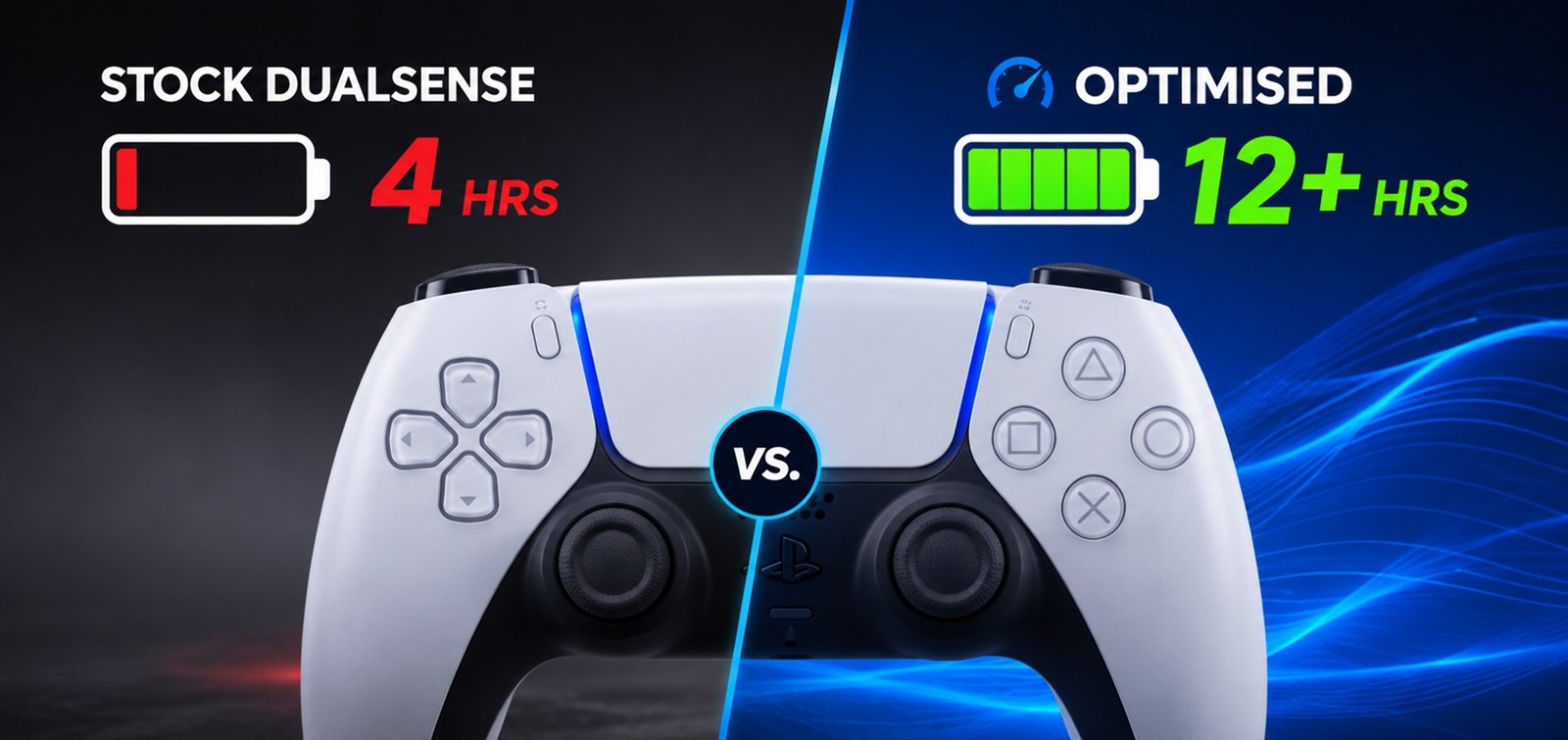
The DualSense has a 1,560 mAh battery, which technically gives it 56% more capacity than the DualShock 4’s 1,000 mAh battery, a controller widely criticised for dying too fast. However, it certainly feels like the PS5 controller battery dies far too fast than its battery tells you, and we’re here to tell you that it you’re not alone in feeling this way.
Because Sony filled it with features that eat power, the PS5 controller battery doesn’t last as long as it should. Haptic feedback motors, adaptive trigger motors, a speaker, a microphone, a light bar, a touchpad, and Bluetooth all running simultaneously and all drawing from the same 1,560 mAh battery makes the 56% battery capacity increase moot. Keep in mind that the power demand went up by like 200% as well.
The result is that the PS5 controller battery lasts 7 to 8 hours with moderate feature use, 4 to 5 hours with everything at maximum. If your controller is from 2020 or 2021, lithium battery degradation means you are probably operating at 60 to 70% of that original capacity, which puts you at 3 to 4 hours.
This guide covers why the battery drains so fast (with a feature-by-feature power breakdown), seven software settings that extend battery by 30 to 40%, hardware modifications that add another 15 to 20%, charging myths that need debunking, and when to replace versus when to upgrade.
Every DualSense feature draws power. Some draw a lot. Here is what is actually happening inside your controller.
| Feature | Power Draw | Battery Impact | Can You Disable It? |
| Haptic feedback (Strong) | High | Reduces by 1–2 hours | Yes (settings or hardware removal) |
| Adaptive triggers (Strong) | High | Reduces by 1–1.5 hours | Yes (settings or digital trigger mod) |
| Light bar (Bright) | Medium | Reduces by 30–45 minutes | Yes (dim or off in settings) |
| Speaker audio | Low-Medium | Reduces by 15–30 minutes | Yes (volume or mute in settings) |
| Microphone (always on) | Low | Reduces by 10–15 minutes | Yes (mute button on controller) |
| Touchpad | Low | Reduces by 5–10 minutes | No (always active) |
| Bluetooth | Low | Negligible | No (required for wireless) |
Haptic feedback and adaptive triggers together account for roughly 60 to 70% of the non-essential power draw. The light bar is the next biggest drain. Everything else is marginal. The maths is straightforward: if you reduce or disable the two biggest power consumers, you recover 2 to 3.5 hours of battery life. That alone can take a 5-hour session to 7 or 8.
| Configuration | Expected Battery Life |
| All features at maximum (Strong haptics, Strong triggers, Bright light bar, speaker on, mic on) | 4–5 hours |
| Factory defaults (Medium haptics, Medium triggers, Medium light bar) | 6–7 hours |
| Optimised settings (Weak haptics, Off triggers, Dim light bar, mic muted, speaker low) | 8–10 hours |
| Full competitive mode (haptics off, triggers off, light bar dim, speaker off, mic muted) | 10–12 hours |
| Hardware-optimised (rumble motors removed, digital triggers, dim light bar) | 11–13 hours |
The difference between worst case (4 hours) and best case (13 hours) is a 3x improvement. Most of that improvement comes from changes to free software.
These are ranked by impact. Start at the top and work down. Each change is free, reversible, and takes under 30 seconds.
| # | Setting | Where to Find It | Set To | Est. Battery Saved |
| 1 | Vibration Intensity | Settings > Accessories > Controllers | Weak or Off | 1–2 hours |
| 2 | Trigger Effect Intensity | Settings > Accessories > Controllers | Weak or Off | 1–1.5 hours |
| 3 | Light Bar Brightness | Settings > Accessories > Controllers > Brightness | Dim | 30–45 min |
| 4 | Mute Microphone | Press mute button on controller front | Muted (orange light) | 10–15 min |
| 5 | Controller Speaker Volume | Settings > Sound > Controller Speaker | Low or Off | 15–30 min |
| 6 | Auto Power-Off Timer | Settings > System > Power Saving > Controllers | 10 minutes | Varies (prevents idle drain) |
| 7 | Use USB cable for long sessions | Plug in via USB-C | Wired | Eliminates battery use entirely |
Settings 1 and 2 are the big ones. Haptic feedback at Strong intensity runs the dual linear resonant actuators continuously during gameplay. Adaptive triggers at Strong intensity run the motor in each trigger during every L2/R2 interaction. Dropping both to Weak or Off immediately recovers 2 to 3.5 hours of battery life.
The trade-off is that haptic feedback and adaptive triggers are two of the DualSense’s best features. Games like Saros, Returnal, and Astro’s Playroom were designed around them. Disabling them removes a layer of immersion. For single-player games where immersion matters, we recommend keeping them at Medium. For competitive multiplayer where battery life and input speed matter, turn them off. You do not need to choose one configuration for all games. You’re free to adjust it based on what you’re playing.
Setting 6 is underrated. The default auto power-off timer is 30 minutes. If you set your controller down during a cutscene, a loading screen, or a snack break, it sits there draining battery for up to 30 minutes before shutting off. Reducing the timer to 10 minutes prevents significant idle drain. You can wake it with a single PS button press.
Setting 7 is the nuclear option. Playing wired via USB-C eliminates battery drain entirely and keeps the controller charged. For desk gaming sessions where you are sitting close to your PS5, there is no reason not to plug in. You also get slightly lower input latency compared to Bluetooth. For tips on this, our 10 hidden PS5 controller tips and tricks guide covers additional optimisations most players never discover.
If you have made all seven changes and still notice your controller drains faster than the times above suggest, your battery may be degraded. Keep reading.
For more settings mistakes that affect battery life and performance, our PS5 controller settings mistakes guide covers vibration and brightness at max (Mistake #7) and other common errors.
Software settings have limits. You can set vibration to Weak, but the motors are still inside the controller, still drawing standby power, still adding 60g of weight. Hardware modifications remove those limits.
TCP’s rumble motor removal modification physically removes the haptic feedback motors from the DualSense. The result is twofold: battery life extends by an estimated 15 to 20% beyond the software-only optimization (because the motors no longer draw any power at all, not even standby), and controller weight drops by approximately 60g.
For competitive players who disable haptics in software anyway, the removal changes nothing about functionality. You lose a feature you were not using. What you gain is a lighter, longer-lasting controller. If you play Call of Duty, Fortnite, or Apex Legends with vibration off, this modification makes your controller objectively better for your use case.
Adaptive trigger motors draw power continuously during gameplay. Every time you press L2 or R2, the motor activates to create resistance. Digital triggers replace the analog trigger mechanism with a binary switch. The switch draws negligible power because there is no motor, no resistance system, and no continuous actuation.
You lose the adaptive trigger feel (no weapon-specific resistance, no immersive tension). You gain faster trigger actuation (near-instant versus 10 to 15ms of analog travel), lower power consumption, and more consistent input timing. For competitive play, digital triggers provide the same result as turning adaptive triggers off in software, plus the added benefit of faster fire rate and measurably lower battery draw.
TMR sensors consume less power than the potentiometer actuation circuit in the standard DualSense. The power difference is small per session, but over hundreds of hours, it adds up. TMR sticks are primarily about eliminating stick drift, but the lower power consumption is a genuine secondary benefit.
| Approach | Battery Life Improvement | Total Expected Life |
| Stock DualSense (all defaults) | Baseline | 6–7 hours |
| Software-only optimisation (7 settings changes) | +30–40% | 8–10 hours |
| Software + rumble removal | +45–55% | 10–12 hours |
| Software + rumble removal + digital triggers | +55–70% | 11–13 hours |
| Full hardware-optimised (above + TMR sticks) | +60–75% | 11–13+ hours |
A fully hardware-optimized DualSense with rumble motors removed, digital triggers installed, and TMR sticks can deliver 11 to 13 hours of competitive play on a single charge. That is nearly triple the 4 to 5 hours you get with a stock controller running everything at maximum. The controller modifications page covers every available upgrade, including a better PS5 controller battery.
Lithium-ion batteries degrade over time. This is not a defect. It is chemistry. Every charge cycle (from full drain to full charge) reduces the battery’s maximum capacity slightly. After 500 full cycles, a lithium-ion battery typically operates at 80% of its original capacity. After 800 to 1,000 cycles, it drops to 60 to 70%.
A DualSense from November 2020 that has been used regularly for five and a half years has likely undergone 500 to 1,000+ charge cycles. If your launch-era controller now dies after 3 to 4 hours with optimized settings, the battery itself has degraded beyond what software changes can fix.
| Controller Age | Est. Charge Cycles | Est. Capacity Remaining | Effective Battery Life |
| < 1 year (2025–2026) | 50–150 cycles | 95–100% | 6–7 hours (defaults) |
| 1–2 years (2024–2025) | 150–400 cycles | 85–95% | 5.5–6.5 hours |
| 2–3 years (2023–2024) | 400–600 cycles | 75–85% | 4.5–6 hours |
| 3–4 years (2022–2023) | 600–800 cycles | 65–75% | 4–5 hours |
| 5+ years (2020–2021) | 800–1,000+ cycles | 55–70% | 3–4.5 hours |
If your controller falls into the 3+ year range and battery life is noticeably worse than when it was new, the battery needs physical replacement. This requires opening the controller. TCP can replace the battery as part of a broader repair or modification service. If you are sending your controller in for a stick drift repair with TMR upgrade, adding a battery replacement at the same time is the most efficient approach: one shipment, one repair session, multiple problems solved.
For the full PS5 controller battery drain troubleshooting guide covering all 12 common DualSense problems, our PS5 controller problems guide covers Problem #6 in detail.
| Myth | Truth |
| You should fully drain the battery before charging. | Wrong. Lithium-ion batteries prefer partial charges. Full drain cycles actually increase wear. Charge whenever convenient. |
| Using the controller while charging damages the battery. | Mostly wrong. It generates extra heat, which slightly accelerates degradation, but it is within the battery’s operating spec. Fine for occasional use. |
| Third-party charging stations damage the battery. | Wrong, as long as they output 5V / 1.5A (the DualSense’s spec). Sony’s own charging station is not special. Any compliant charger works. |
| Fast chargers (Quick Charge, USB-PD) charge the DualSense faster. | Dangerous. The DualSense does not support fast charging protocols. Using a Quick Charge or USB-PD charger at higher voltage can damage the controller’s charging circuit. Use a standard 5V charger. |
| Leaving the controller plugged in overnight damages the battery. | Mostly wrong. Modern charging circuits cut off when full. But extended time at 100% charge does slightly degrade lithium-ion batteries over months and years. |
| The DualSense charges faster via the front USB ports. | True. The PS5’s front USB-A and USB-C ports are powered during rest mode (if enabled in settings). Rear USB-A ports may not provide power in rest mode. |
The most important takeaway: charge whenever you want, use a standard 5V charger, and do not use Quick Charge or USB-PD adapters. Everything else is noise.
| Your Situation | Best Option | Cost |
| Battery is the only issue. Controller otherwise works fine. | Battery replacement (cheapest, restores original life). | £15–£25 (professional) |
| Battery + stick drift. | TMR stick upgrade + battery replacement in one repair session. | From £45–£55 (combined) |
| Battery + drift + worn triggers + degraded grips. | TCP Pro custom build (fresh controller, TMR sticks, digital triggers, new battery). | £135–£140 |
| Battery is fine. Just drains fast because of features. | Software optimisation first. Hardware mods second (rumble removal, digital triggers). | Free (software) / varies (hardware) |
If you are going to open your controller to replace the stock PS5 controller battery, consider upgrading the sticks and triggers while it is open. The labor cost of disassembly happens once. Adding a TMR stick upgrade and digital trigger modification during a battery replacement is more cost-effective than doing them separately.
The TCP Pro controller (£135 to £140) addresses every power drain issue through hardware rather than software compromise. TMR sticks draw less power than potentiometers. Digital triggers draw effectively zero power (no motor). No rumble motors means no vibration power draw and 60g less weight. A fresh battery at full capacity. It solves the battery, drift, trigger speed, and back button problems in one build.
Configure yours in the custom PS5 controller builder.
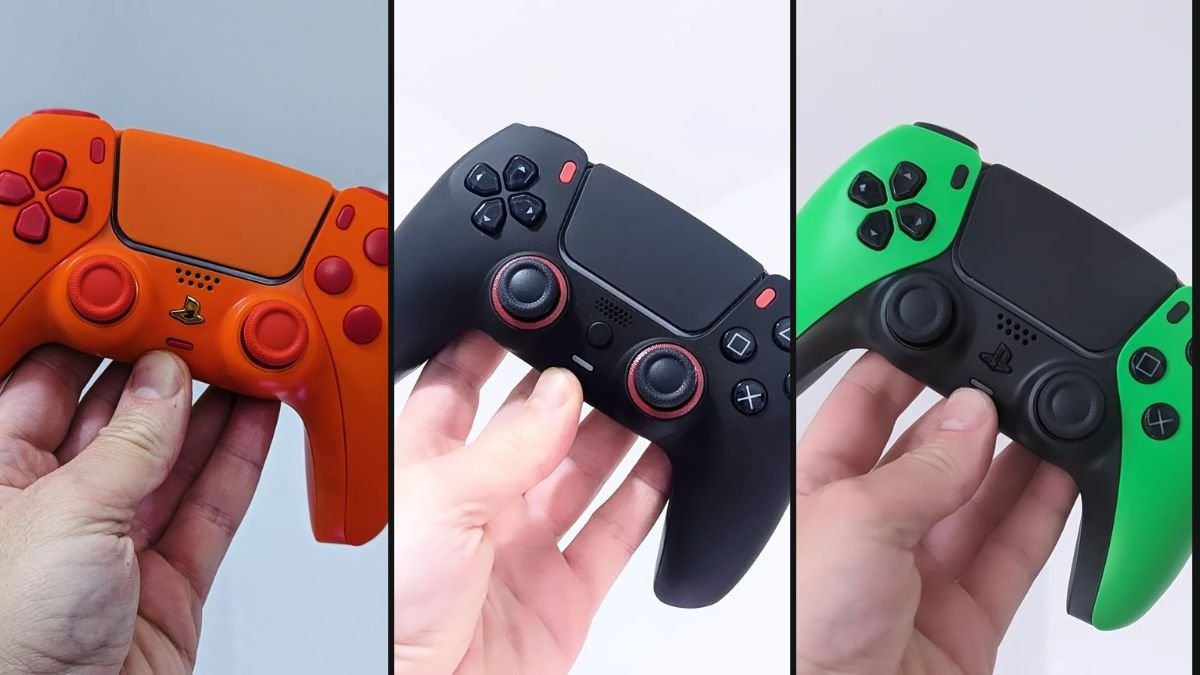
A controller that dies mid-session is either not properly set up or has outlived its battery’s effective lifespan. Either way, you don’t have to live with this. You can fix your PS5 controller battery.
The seven software changes in this guide are free and recover 30 to 40% of battery life immediately. Rumble removal and digital triggers add another 15 to 20% on top. A battery replacement restores original capacity for controllers that have degraded over the years of use.
If your DualSense dies in 3 to 4 hours, do not buy a new one for £64.99 and repeat the cycle. Fix the one you have, upgrade the parts that drain the most power, and get a controller that lasts as long as you want to play.
TCP’s modifications cover rumble removal, digital triggers, TMR sticks, and more. Our stick drift repair service can combine a TMR upgrade with battery replacement in one session, and the TCP Pro builds everything from scratch with a fresh battery and zero power-wasting features.
Stop charging every two hours. Start enjoying the best PS5 Pro games by making changes to your PS5 controller battery.

The long wait is almost over. Insomniac Games’ R-rated take on everyone’s favorite grumpy mutant launches on September 15. Brutal and rage-driven, Marvel’s Wolverine is

Sony just gave Grand Theft Auto VI the kind of treatment it normally reserves for its own biggest exclusives. At the September 3 State of

For years, the running joke was that we would get Grand Theft Auto6 before we got a proper look at Marvel’s Wolverine. Well, both are

Phantom Blade Zero has been near the top of every action fan’s watchlist since it first showed up in 2023, and it finally arrives on
No comment yet, add your voice below!